

Reports
The Reports tab displays repository-level reports for security compliance and codebase insights.
The Reports tab provides security compliance and insight reports for your repository. Select a report from the sidebar to view it.
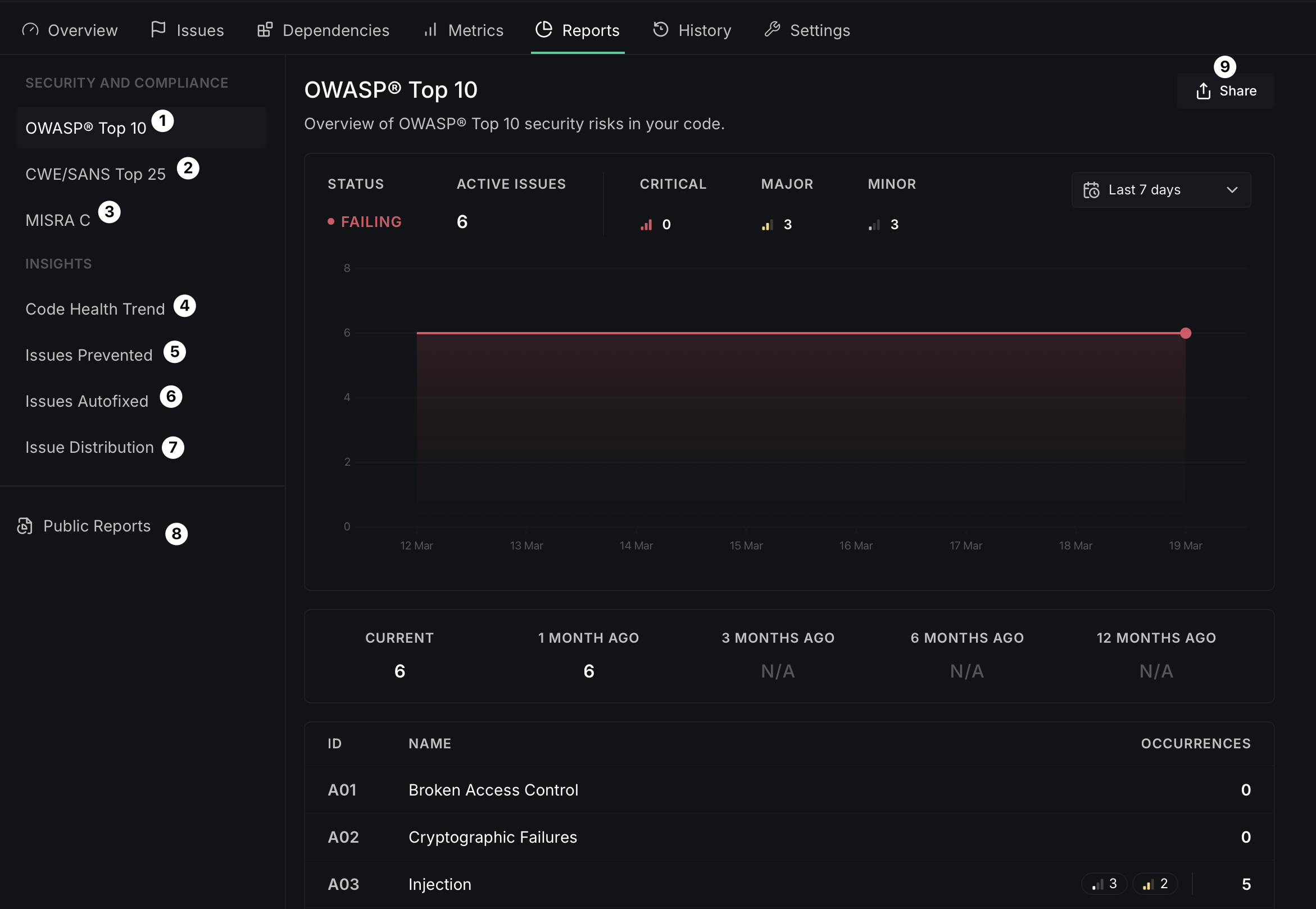
Security and compliance
OWASP Top 10
Shows how your repository measures up against the OWASP Top 10 security risks. Displays the current status (passing or failing), the number of active issues, and a breakdown by severity (Critical, Major, Minor). A trend chart shows how your compliance has changed over time, and a table lists each OWASP category with its issue count.
CWE/SANS Top 25
Similar to the OWASP report, this shows your repository's standing against the CWE/SANS Top 25 most dangerous software errors, with severity breakdown and historical trend data.
MISRA C
Compliance report for the MISRA C coding standard, relevant for safety-critical embedded systems.
Insights
Code Health Trend
Tracks the number of new code health issues that emerge in your repository each week. Helps you monitor whether your codebase is improving or accumulating technical debt over time.
Issues Prevented
Shows a historical view of how many code health issues were caught and prevented from entering your codebase through DeepSource analysis, helping you quantify the impact of automated code review.
Issues Autofixed
Tracks how you use Autofix™ to automatically resolve code health issues, showing the time and effort saved through automated fixing.
Issue Distribution
Breaks down the current state of code health issues by category and programming language, with a historical view to help you identify which areas need the most attention.
Sharing reports
Each report has a Share button that opens a dialog to create a public report link.
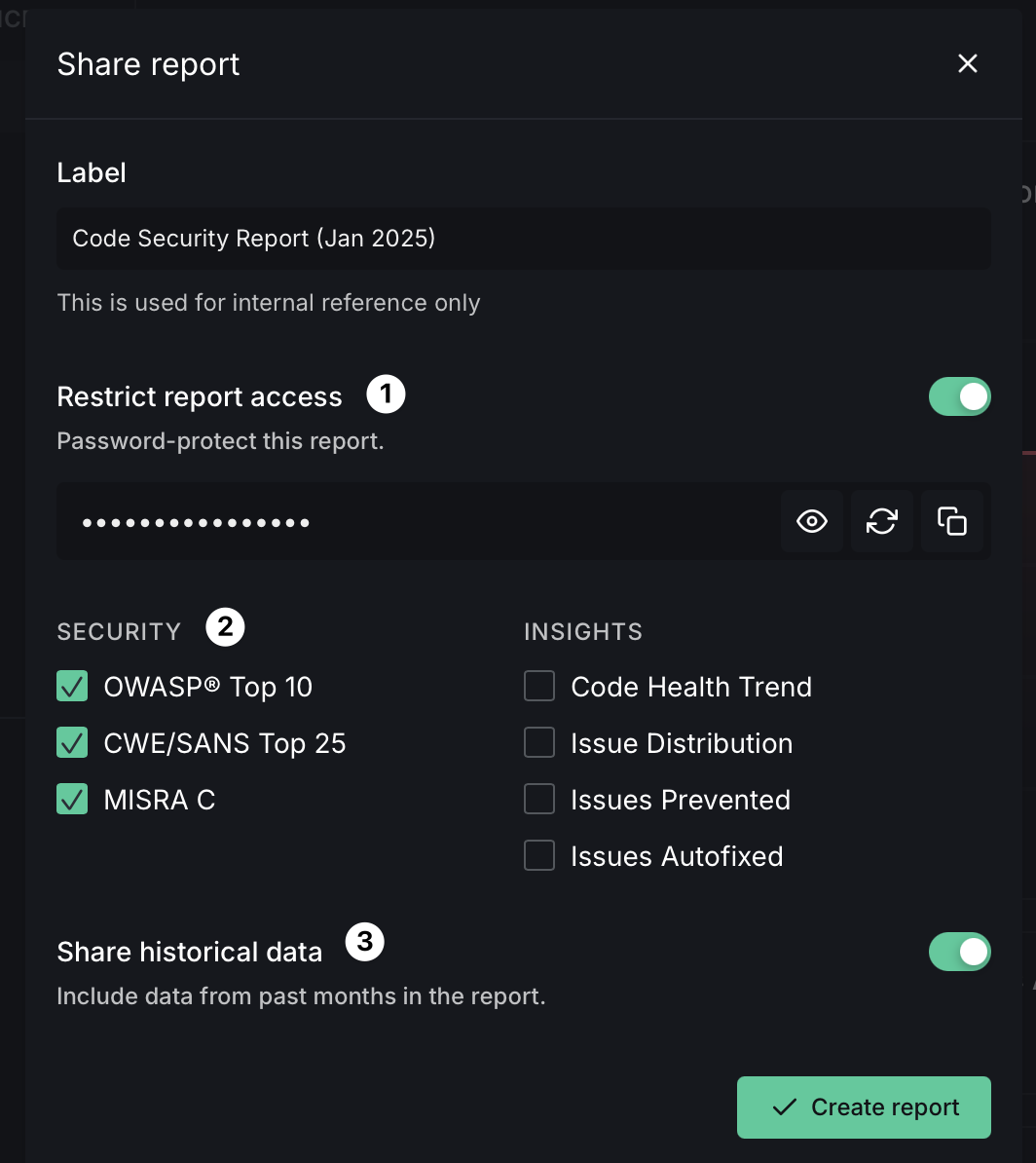
When sharing a report:
- Restrict report access — Toggle on to password-protect the report. You can view, regenerate, or copy the password.
- Select reports — Choose which Security and Insights reports to include in the shared report.
- Share historical data — Toggle on to include data from past months in the report.
Click Create report to generate the shareable link. You can also view previously created public reports from the Public Reports section in the sidebar.