

Reports
Team-level reports for security compliance and codebase insights across all repositories.
The Reports page provides organization-level reports that aggregate data across all repositories in your team. Select a report from the sidebar to view it.
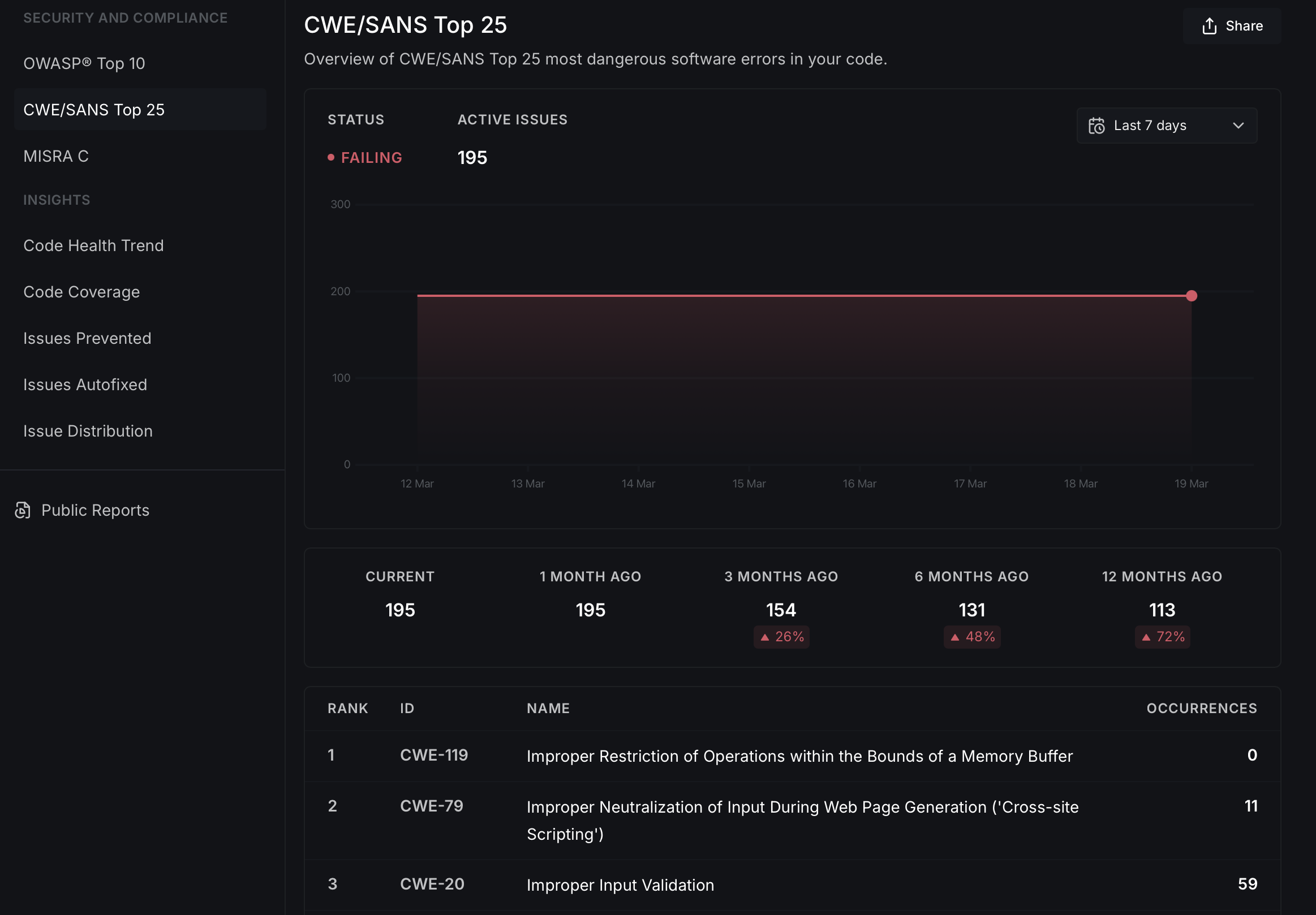
Each report shows a status indicator (passing or failing), the number of active issues, a trend chart tracking changes over time, and a historical comparison (current vs. 1, 3, 6, and 12 months ago). A detailed table lists individual items with their occurrence counts.
Security and compliance
OWASP Top 10
A bird's eye view of how your organization's code measures up to the OWASP Top 10 security recommendations. Lists each OWASP category with its CWE identifier and the number of occurrences found across all repositories.
CWE/SANS Top 25
Shows your organization's standing against the CWE/SANS Top 25 most dangerous software errors, ranked by severity and occurrence count.
MISRA C
Compliance report for the MISRA C coding standard across your organization's repositories.
Insights
Code Health Trend
Tracks the number of new code health issues emerging across all repositories each week, helping you monitor the overall direction of your organization's code quality.
Code Coverage
Provides insights into code coverage metrics such as line coverage and branch coverage across your repositories. You can set coverage thresholds for individual repositories and monitor compliance.
Issues Prevented
A historical view of how many code health issues were prevented from entering your codebase with DeepSource, helping quantify the impact of automated code review across the organization.
Issues Autofixed
Tracks how your team uses Autofix™ to automate the resolution of code health issues, showing aggregate time and effort savings.
Issue Distribution
Breaks down the current state of code health issues across all repositories by category and programming language, with historical trends to help prioritize improvements.
Public reports
You can create customized, password-protected public reports to share with external stakeholders. Click Share on any report to configure access controls and select which reports to include.