

Configure analyzers
Customize how DeepSource analyzes your code by enabling analyzers, setting file patterns, and tuning language-specific options
After activating a repository, DeepSource auto-detects languages and enables the matching analyzers. This guide walks you through fine-tuning that setup — enabling secrets detection, adjusting analyzer settings, excluding files, and turning on code formatters.
If you use a .deepsource.toml configuration file, it must be committed to the repository's default branch for analysis to activate. Commit the file to the default branch before enabling Code Review in Settings.
All of the settings below are available from the Settings tab on any repository page. For a full reference of every option, see Repository Settings.
Enable or disable analyzers
Open Settings > Code Review > Analyzers to see every analyzer available for your repository. Toggle an analyzer on or off, then expand it to configure language-specific options.
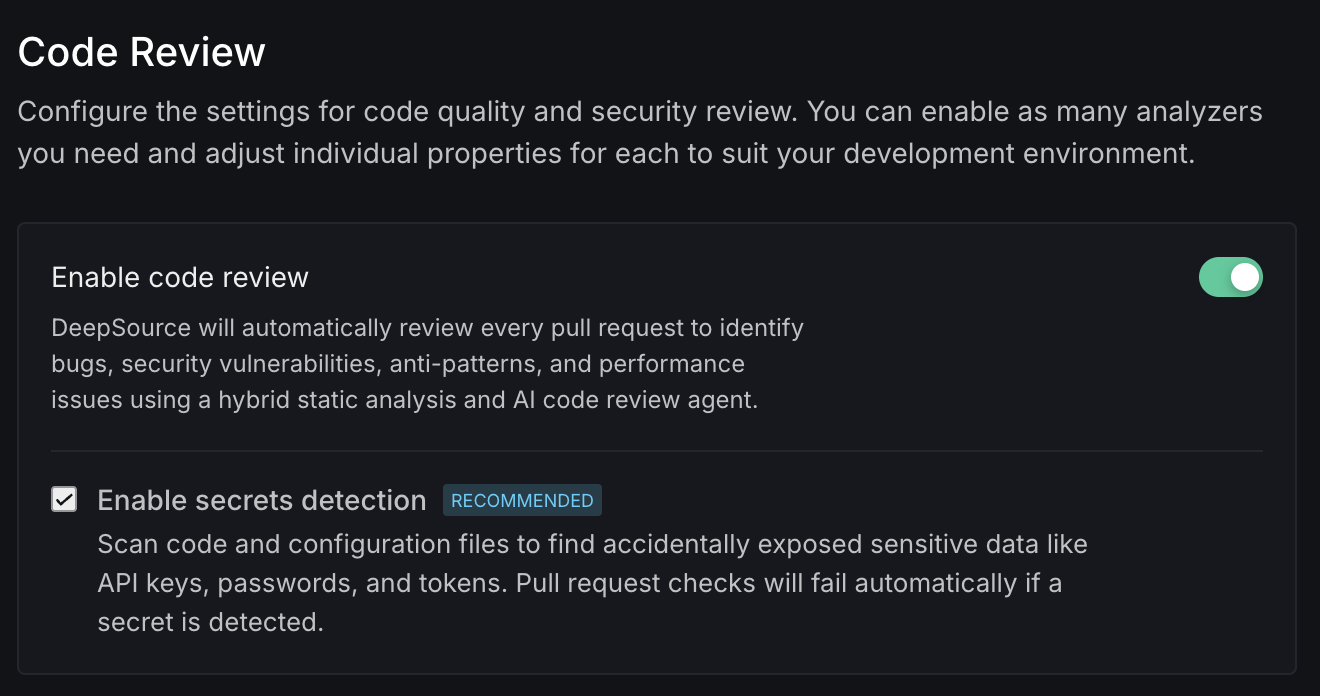
Common per-analyzer settings include:
- Cyclomatic complexity threshold — The risk tolerance for complex functions (
low,medium,high,very-high,critical) - Skip doc coverage — Artifact types to exclude from documentation coverage checks (e.g.,
magicmethods,init,test) - Runtime or language version — The language version your project targets (e.g., Python
3.x.x, Java21, Ruststable)
Some analyzers expose additional options — framework selection for JavaScript, import root for Go, SQL formatting rules, and more. See the Core Analyzers reference for the full list.
Enable secrets detection
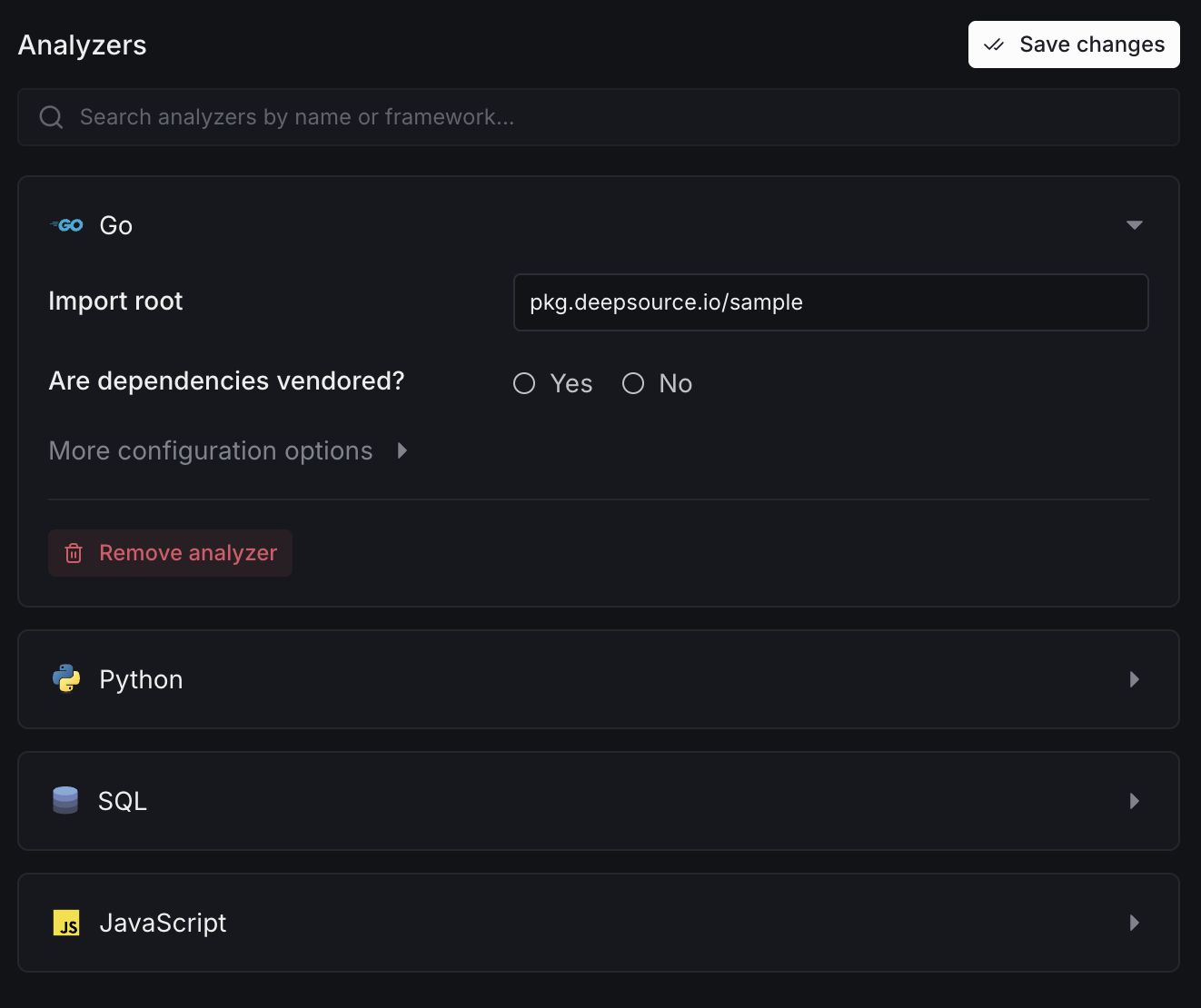
Recommended for all repositories.
Under Settings > Code Review, toggle Enable secrets detection. When enabled, DeepSource scans every pull request for accidentally exposed API keys, passwords, and tokens — and fails the check if a secret is found.
For details on detection engines, see Secrets Detection.
Set test and excluded file patterns
Under Settings > Code Review > Codebase Context, define glob patterns so DeepSource understands your project layout:
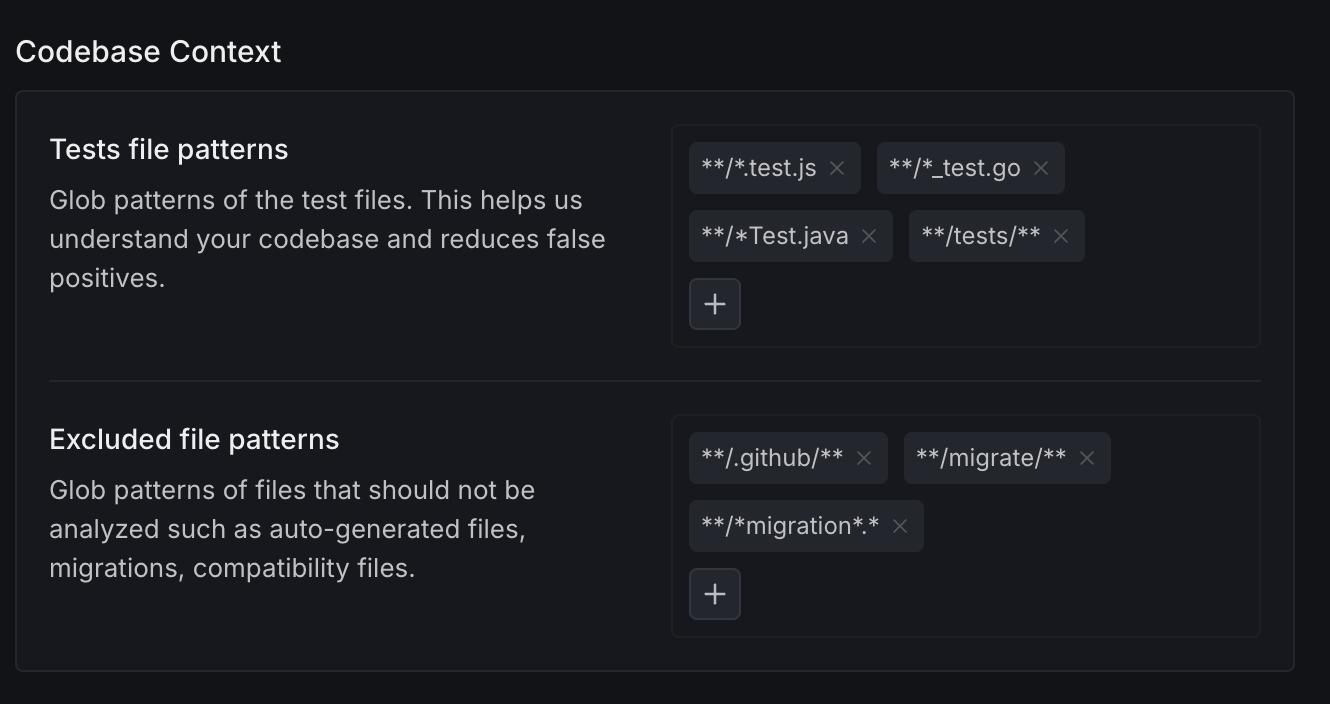
- Test file patterns — e.g.,
**/*.test.js,**/*_test.go. Helps reduce false positives by distinguishing test code from production code. - Excluded file patterns — e.g.,
**/.github/**,**/*migration*.*. Files matching these patterns are skipped during analysis.
To auto-format code on every pull request, see Enable code formatters.